Core Web Vitals for Business Websites: 2026 Guide
Weak Core Web Vitals can quietly cost a business website rankings and revenue, and most guides are written for developers. This is the plain-English version: what the scores mean, what the March 2026 update changed, and exactly what to ask your developer.
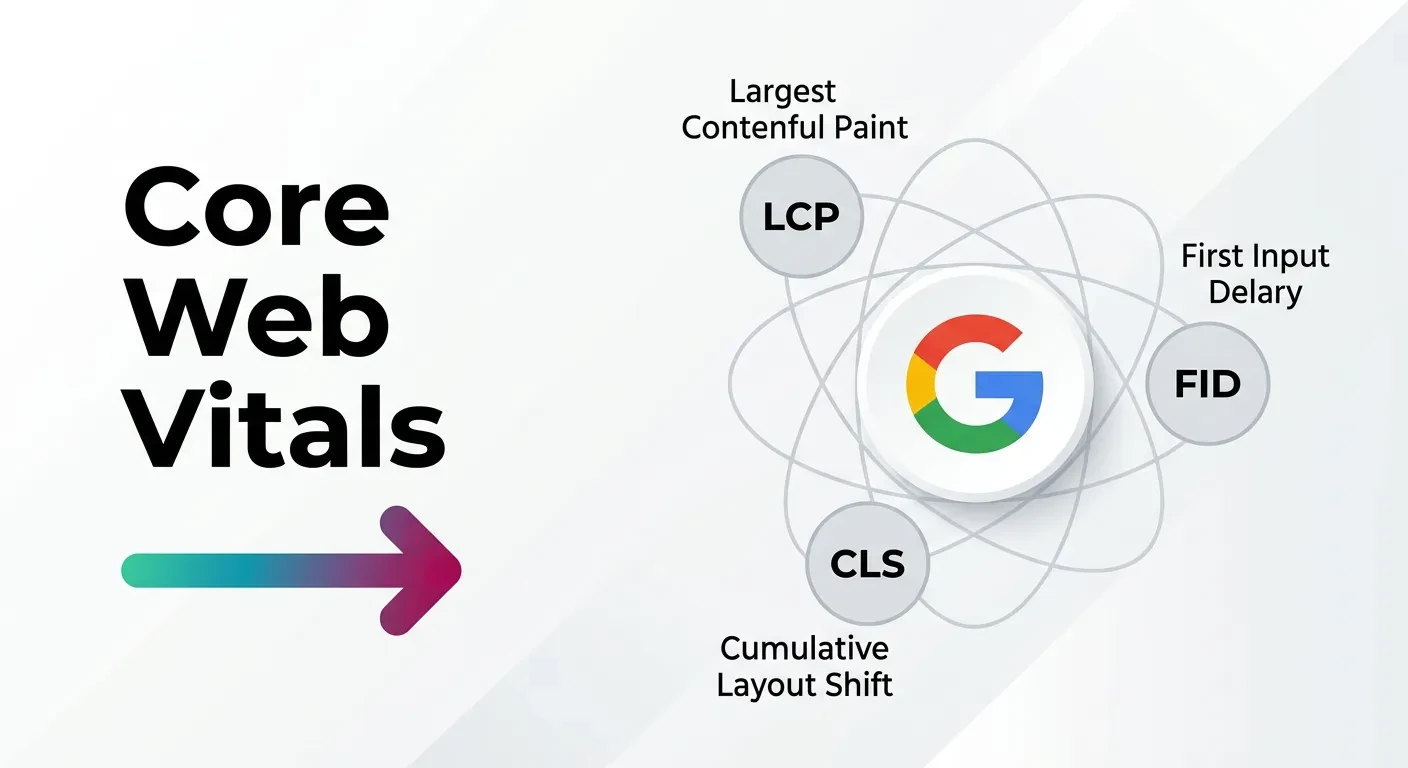
Your traffic drops 30% over a few months, someone mentions Core Web Vitals, and you’re stuck. You commissioned the site, you don’t code, and now you can’t tell if your scores are the cause or a distraction. Core Web Vitals for business websites are three numbers Google uses to measure how fast, stable, and responsive your pages feel to real visitors — and since the March 2026 core update, weak scores can quietly cost you rankings and revenue. This guide explains what they mean, what changed, and the exact questions to ask the person who built your site.
Can Slow Core Web Vitals Actually Tank Your Traffic?
Yes — and the effect is bigger than most owners expect. After the March 2026 core update, sites with poor Core Web Vitals reported search traffic drops of 20% to 35%, and some lost more than half their visibility.
That is not a rounding error. That is a revenue line item.
The reason is simple. Google now treats these scores as a real ranking input, not a tie-breaker. When two pages answer a search equally well, the faster and more stable one takes the higher spot.
But here is the part the loud opinions miss. Core Web Vitals decide close races — and most commercial searches are close races.
If you sell against three or four similar competitors, the page experience gap is often what separates page one from page two. That gap is where your leads quietly leak to someone else.
I have audited business sites where a single slow third-party script dragged a service page from position 4 down to position 9. The fix took an afternoon. The rankings recovered inside a month.
So if your traffic fell over a few months and Search Console is flagging “poor” URLs on mobile, rule Core Web Vitals in or out before you blame your content.
What Core Web Vitals Actually Measure (In Plain English)
Core Web Vitals are three scores, each tied to one feeling a visitor has on your page. Google built them to measure real user experience, not lab theory (Google’s documentation confirms they come from real Chrome users). You don’t need to understand the code behind them — you need to know what each one is telling you.
Largest Contentful Paint (LCP): “Did the page show up fast?”
LCP measures how long your main content takes to appear — usually a hero image, a headline, or a banner. It answers the visitor’s first impatient question: is anything happening?
A “Good” LCP loads quickly; a slow one means people stare at a blank or half-built page. That blank moment is where impatient buyers leave for a faster competitor.
Interaction to Next Paint (INP): “Did it respond when I tapped?”
INP measures how quickly the page reacts when someone clicks, taps, or types. A laggy menu or a button that “thinks” for half a second feels broken, even when nothing is technically wrong.
INP replaced the older First Input Delay metric in March 2024 because it captures the full interaction, not just the first tap (web.dev explains the switch). For a checkout or a booking form, INP is the score that decides whether a sale feels smooth or frustrating.
Cumulative Layout Shift (CLS): “Did the page jump and make me misclick?”
CLS measures visual stability — how much your content jumps around as the page loads. You have felt this yourself: you go to tap a link, an ad loads, and suddenly you’ve clicked the wrong thing.
That small betrayal erodes trust fast. On mobile, a jumpy layout can send a ready-to-buy visitor straight back to the search results.
What Changed in Google’s March 2026 Core Update
For years, the rule of thumb was loose: get your scores into the green and move on. The March 2026 core update made the bar higher and the stakes clearer.
Two changes matter for business owners.
First, the “Good” threshold for LCP tightened from 2.5 seconds to 2.0 seconds. Pages that comfortably passed in 2025 can now sit in the “Needs Improvement” band without a single line of code changing.
Second, Google elevated INP to a primary ranking signal, weighting it alongside LCP rather than treating it as a minor factor. A page that loads fast but responds slowly is now penalised in a way it wasn’t before.
The fallout was real. Reports after the update put roughly 43% of sites still failing the 200-millisecond INP target — meaning nearly half the web is now carrying a heavier penalty than it was a year ago.
If your developer optimised your site in 2024 and called it done, your “passing” scores may have quietly slipped into failing territory. This is the single most common reason a stable site loses ground without any visible change.
Why Core Web Vitals for Business Websites Are a Revenue Issue
Most articles treat these scores as an SEO chore. For a business, they are a money problem first and a ranking problem second.
Start with the visitors you already pay to attract. Google’s own research found that 53% of mobile visitors abandon a page that takes longer than 3 seconds to load (Google, 2018). Every ad click and every hard-won search visit hits that same wall.
Now stack the effects. A slow LCP loses people before they read your offer. A poor INP makes your forms feel broken. A high CLS makes them misclick and leave.
Each failing metric compounds the next. High bounce rates signal to Google that visitors aren’t satisfied, which lowers your visibility, which brings even fewer visitors. It is a loop that tightens every month you ignore it.
Here is the part that stings. You feel this as fewer enquiries, not as a number on a dashboard — so it’s easy to blame the market, the season, or your prices instead of the three seconds your homepage takes to load.
For an e-commerce store, that’s abandoned carts. For a service business, it’s fewer calls and form submissions. The metric is technical; the loss is commercial.
How to Check Your Own Core Web Vitals in 10 Minutes
You don’t need a developer to see where you stand. Two free Google tools give you the full picture, and you can run both before your next coffee goes cold.
Start with Google Search Console. Open the Core Web Vitals report and it groups your URLs into Poor, Needs Improvement, and Good, split by mobile and desktop. This is the best site-wide view because it shows patterns — usually a whole page type failing for the same reason.
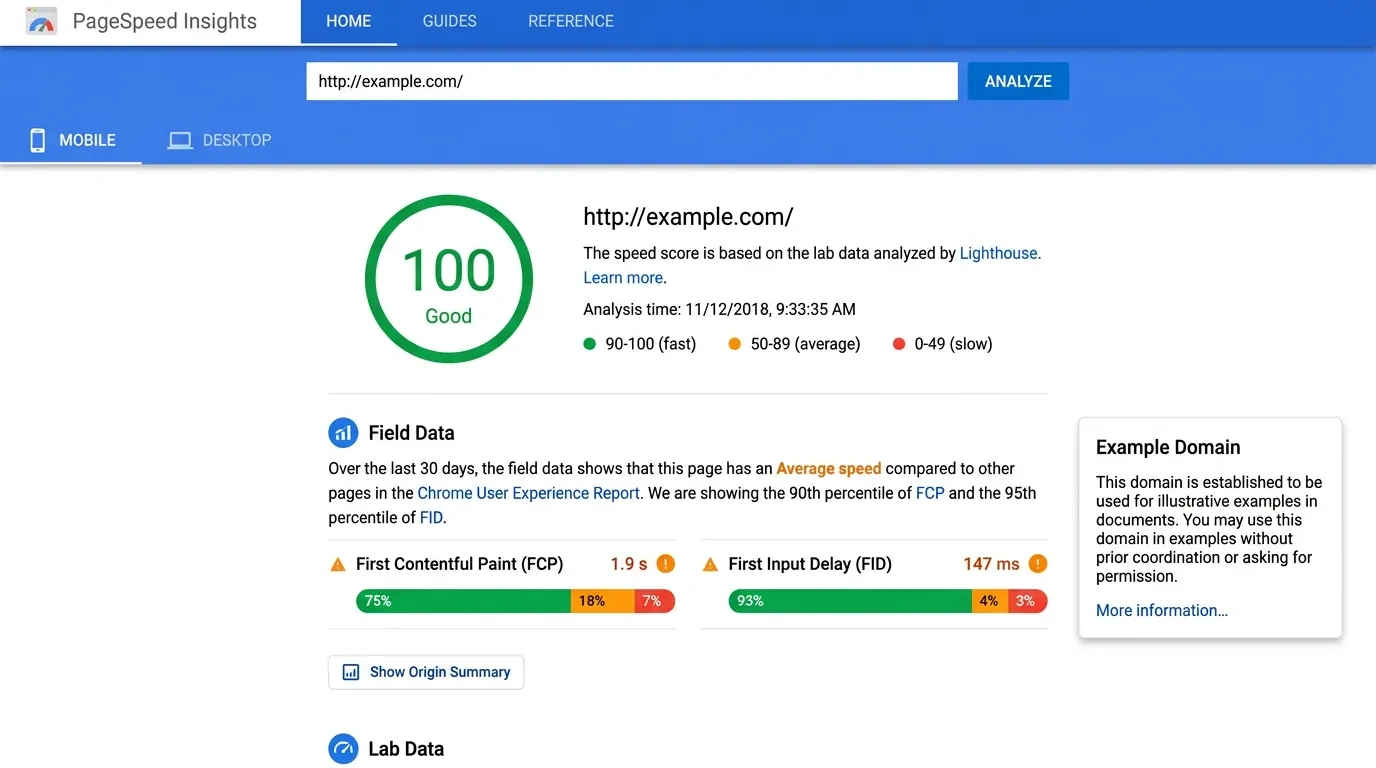
Then use PageSpeed Insights for any single page that matters: your homepage, your top service page, your best-selling product. Paste the URL and it returns a score plus a plain list of what’s slowing the page down.
One distinction is worth knowing, because it confuses almost every owner. PageSpeed Insights shows two kinds of data:
- Field data — how real visitors actually experienced your page over the last 28 days. This is what Google uses for ranking.
- Lab data — a simulated test run on the spot. Useful for debugging, but it is not your ranking score.
Don’t panic over a single lab score. A one-off test on bad office wifi tells you almost nothing.
What matters is the field data, measured at the 75th percentile — meaning 75% of your real visitors had that experience or better. Check mobile first, because that’s where most of your traffic and most of your problems live.
What’s Actually Slowing Your Site Down
When a business site fails Core Web Vitals, the cause is almost never mysterious. After building and fixing a lot of these, the same handful of culprits show up again and again.
Images are the number one offender. Oversized hero images, uncompressed photos, and pictures served far larger than the screen needs will wreck your LCP on their own. The fix is correct sizing, modern formats like WebP or AVIF, and lazy loading for anything below the fold.
Third-party scripts are the second. Every tracking pixel, chat widget, and marketing tag adds weight and slows interactions. I have seen sites carrying 40-plus trackers, half of them forgotten, each one taxing INP.
Fonts are a quieter drain. Loading a dozen custom font weights forces extra requests before text appears. Keeping fonts lean and preloading the critical ones is a fast, cheap win.
Then there’s layout instability — ads, banners, and embeds that load late and shove your content down the page. Reserving space for these elements before they load is the single most effective CLS fix, and it costs almost nothing.
Last is the foundation: hosting and caching. A cheap shared server or a heavy page builder can cap your scores no matter how clean the rest is. Sometimes the honest answer is that the platform itself is the bottleneck.
None of these require you to touch code. They require you to know what to ask for — which is the next step.
The Exact Questions to Ask Your Developer
This is where most business owners get stuck. You can see the failing scores, but you can’t tell whether a quote to “fix performance” is fair work or padded hours. Here are the questions that cut through it.
Ask: “What is our field LCP, INP, and CLS on mobile, at the 75th percentile?” A capable developer answers with numbers, not vibes. If they only quote a one-off lab score, they’re measuring the wrong thing.
Ask: “Are our images sized, compressed, and served in WebP or AVIF?” This is basic, high-impact work that should already be done. If it isn’t, that’s your fastest gain.
Ask: “Which third-party scripts are loading on every page, and do we still need all of them?” Removing dead trackers improves speed and often saves on subscriptions you forgot you had.
Ask: “Have you re-checked our scores since the March 2026 update?” Thresholds moved. A site signed off two years ago needs a fresh look, not a reassurance.
And one trust check: a good developer doesn’t charge extra to build a fast site, because performance is part of building it right. If “fast” is a premium add-on, you’re working with the wrong person. Optimised images, deferred scripts, and stable layouts should be the baseline, not an upsell.
You don’t need to know how they do it. You need to know that they can — and that they did.
Do You Need a Perfect Score? What’s Worth Fixing
No. Chasing a perfect 100 is one of the most expensive mistakes a business can make, and developers will quietly bill hours for it.
The honest target is simpler: get every Core Web Vital into the “Good” band on mobile. That’s the line Google rewards. The grind from a score of 85 to 100 rarely changes a single ranking and rarely earns back its cost.
Where you should care is the bottom end. Going from a failing 34 to a solid 85 is transformative — it’s the difference between losing half your visitors at the door and keeping them. Going from 85 to 100 is polishing a car that already runs.
So prioritise by impact. Fix the pages that earn money first: homepage, top service or product pages, key landing pages. Speed only pays you back on the pages where decisions get made.
And ignore the “my slowest site is my highest earner” crowd. That site usually ranks on the strength of its content despite its speed, not because of it — and it is leaving money on the table from every impatient visitor who left early.
Great content and good Core Web Vitals are not a choice. You need both. The content wins the click; the page experience keeps the visitor long enough to buy.
Where to Start If Your Scores Are Failing
If Search Console is flagging poor URLs and your traffic has slipped, the move isn’t to panic-optimise everything — it’s to diagnose the few pages that matter and fix the real causes.
That’s the work we do every week: audit the field data, find what’s actually dragging your scores, and rebuild the slow parts so they pass and stay passing. No perfect-100 theatre, no padded hours — just the fixes that move rankings and recover revenue.
If your numbers are failing and you want a straight answer on what’s costing you, tell us what’s happening with your site and we’ll take a look.
Follow Us
Most founders read us once and change something that week.
Every issue covers one thing that makes your website work harder — better conversion, stronger SEO, or smarter design. No fluff, no agency speak. Just the decision you need to make this week.
Our Team

Sadiki Said
Full Stack Developer

Nezha Essyed
Content Strategist