AI Tools for Web Developers: What Clients Must Know
AI tools like Copilot, Cursor, and Claude Code are standard in professional web development — but most clients commissioning websites have no idea what that means. A plain-language guide to how AI changes your project budget, timeline, and code quality.

Your web developer is almost certainly using AI tools right now. A 2025 Stack Overflow survey found that 84% of professional developers either use or plan to use AI in their coding workflow. For business owners commissioning a website, this matters — AI tools for web developers change three things: what you pay, how fast you get it, and whether the code holds up after launch.
Most articles on this topic are written for the developers themselves — tool comparisons, feature lists, pricing tiers. This guide is different. It is written for the person paying for the project. Here is what these tools actually do, which ones matter, and what it all means for your budget, timeline, and the quality of code you receive.
What AI Tools Are Web Developers Actually Using in 2026?
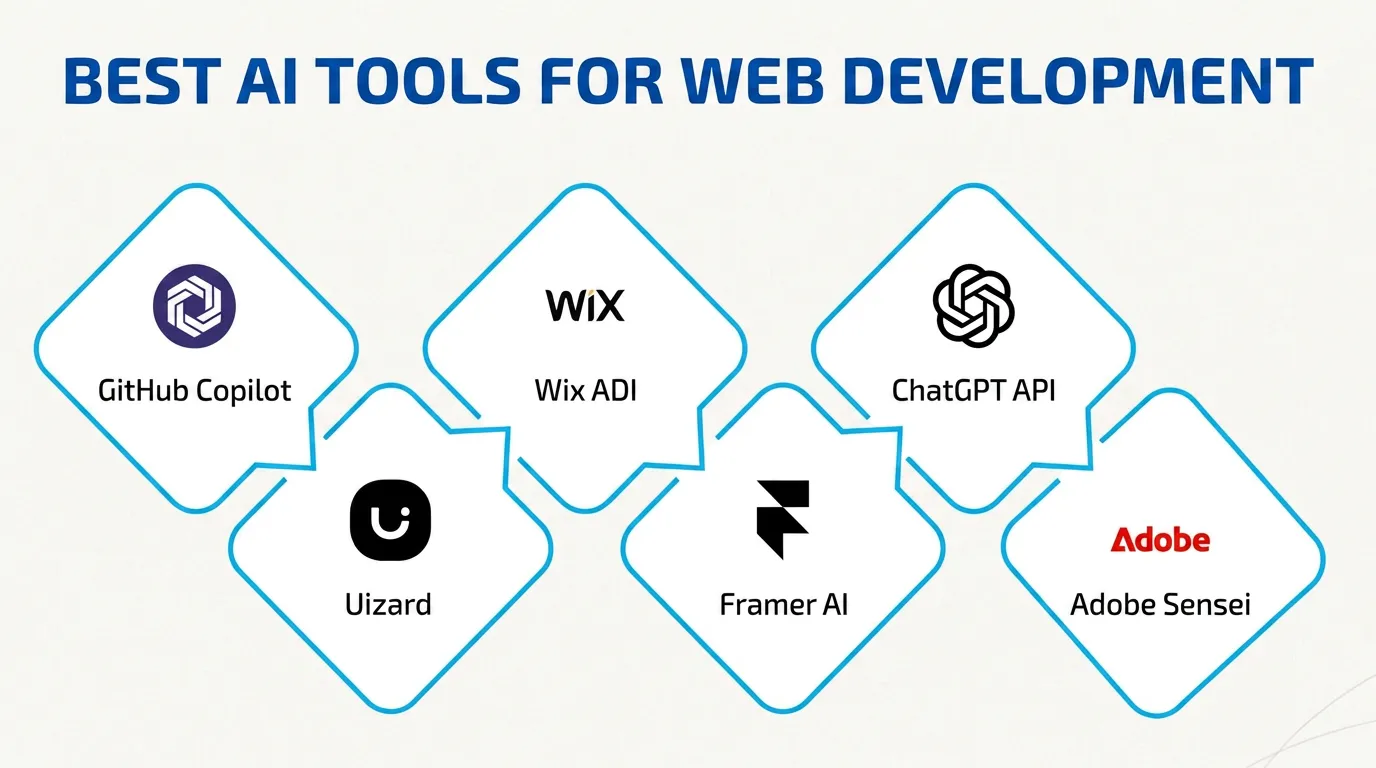
Three tools dominate professional web development in 2026: GitHub Copilot, Cursor, and Claude Code. If your developer works with modern frameworks like React or Next.js, they are likely using at least one of these daily.
GitHub Copilot sits inside the code editor and suggests lines or blocks of code as the developer types. It draws from millions of open-source repositories to predict what comes next. GitHub reports that developers using Copilot complete coding tasks 55% faster than those without it. It is the most widely adopted AI coding tool in the industry, with a straightforward subscription and deep integration into the most popular editors.
Cursor is a code editor with AI built into its foundation — not bolted on as a plugin, but woven into every interaction. Developers describe what they want in plain English, and Cursor writes, refactors, or debugs code across entire files and projects. It has become the default editor for many frontend and full-stack developers who want more than line-by-line autocomplete. Cursor handles multi-file changes, understands project context, and can reason about architecture — not just syntax.
Claude Code runs directly in the developer's terminal. It reads an entire codebase, understands the project structure, and can write code, create commits, run tests, and fix errors — all from text prompts. Unlike browser-based AI chat tools, it stays inside the developer's existing environment with no context switching. For complex refactoring or large codebases, Claude Code offers depth that inline autocomplete tools cannot match.
These are not website builders like Wix or Squarespace. AI development tools assist professional developers — they do not replace them. A developer still makes every architectural decision, reviews every output, and takes responsibility for the final product.
Other tools serve specific needs — Tabnine for enterprises concerned about code privacy, Amazon Q Developer for teams building on AWS infrastructure — but Copilot, Cursor, and Claude Code are the three that define the professional development workflow in 2026.
How AI Changes the Way a Website Gets Built
The development process has not changed in structure. A project still moves through scoping, design, development, testing, and launch. What has changed is the speed and depth of the development phase.
Before AI tools, a developer writing a standard page layout would type every line from scratch or copy from templates built over years of previous projects. Now, the developer describes the component in plain language — "a responsive pricing table with three tiers, a highlighted recommended plan, and a toggle for monthly and annual billing" — and the AI generates the first draft in seconds.
The developer's job shifts from writing every line to reviewing, refining, and connecting what the AI produces. This is closer to how an architect works with a drafting tool than how a builder lays bricks. The developer's value is in knowing what to ask for, recognising when the output is wrong, and making the decisions the AI cannot.
Testing has changed too. AI tools can write unit tests for existing code, identify edge cases a developer might miss, and flag accessibility issues before they reach a browser. What used to take a full day of manual testing can now start with an AI-generated test suite that covers the major paths in minutes. The developer reviews the tests, adds scenarios the AI missed, and runs the full suite.
Debugging is faster. When something breaks, a developer can paste the error into their AI tool with the relevant code context and get a diagnosis in seconds. Problems that used to require an hour of tracing through documentation now take minutes.
The result for clients is not a fundamentally different product. Your website will still be built with HTML, CSS, JavaScript, and a modern framework. But the hours between "approved design" and "working prototype" have compressed significantly. A developer who once needed three weeks for a functional first build might now deliver it in two — with more time left for the performance and polish work that separates a good website from a forgettable one.
What AI Development Tools Mean for Your Project Budget
This is the question most business owners ask first. If developers work faster with AI, should the project cost less?
The honest answer: it depends on the project, but the savings are real — just not where most people expect them.
The tasks that AI accelerates — writing boilerplate code, generating standard components, creating initial test suites — were already the least expensive part of a project per hour. The expensive parts remain unchanged: understanding your business goals, making architectural decisions, designing a system that performs at scale, handling edge cases that only surface with real users. These still require a senior developer's full attention.
A good agency or developer using AI tools effectively should deliver a project in fewer billable hours without cutting corners on the work that matters. If your developer quotes the exact same timeline and price they would have two years ago, it is worth asking what has changed in their workflow.
Here is what AI realistically changes in your budget:
Faster prototyping. You should see a working first draft earlier in the project timeline. If your developer shows a functional prototype within the first week rather than the third, AI tools are likely the reason. This means you give feedback sooner, which reduces costly late-stage revisions.
More time on what matters. With boilerplate handled by AI, a skilled developer reallocates hours to performance optimisation, accessibility, SEO structure, and the design decisions that directly affect your conversion rate. You get more value per hour, even if the hourly rate has not changed.
Lower cost for standard builds. A marketing site, a portfolio, or a small e-commerce store should take fewer hours than it did two years ago. Complex web applications with custom business logic, integrations, and user authentication will see smaller savings — the complexity is in the decisions, not the typing.
No magic discount. Do not expect AI to cut your project cost in half. A reasonable expectation is 15–25% fewer development hours on a straightforward build, with the same or better quality. Any developer promising 50% savings is either cutting corners or was overcharging before.
Does AI-Written Code Hold Up Over Time?
This is the second question every business owner should ask — and the one most developers will not bring up unless you do.
AI-generated code can be clean, well-structured, and production-ready. It can also be verbose, inconsistent, and riddled with subtle bugs that only surface under load or six months after launch. The difference is not the tool — it is the developer reviewing the output.
A senior developer using Cursor or Copilot reads every suggestion before accepting it. They reject anything that does not match the project's established patterns. They refactor AI output to fit the codebase's conventions and test edge cases the AI does not consider. The AI saves them time on the first draft. Their experience ensures the final code is maintainable.
A less experienced developer might accept AI suggestions without fully understanding what the code does. The result works today. But six months later, when a client requests a change or a security patch is needed, nobody — including the original developer — can explain why a function was written that way or what will break if it changes.
This is the real risk of AI-assisted development: not that the tools produce bad code, but that they make it easy to ship code nobody fully understands.
The practical takeaway for business owners is straightforward. The quality of your website's code still depends on your developer's skill, not on which AI tool they use. A skilled developer with AI tools will likely produce better code than the same developer without them — because they spend less time on mechanical tasks and more time on architecture, testing, and the structural decisions that determine whether your site performs well in year two and year three.
When evaluating a developer, ask how they review AI-generated code. If they can explain their review process clearly — testing strategy, code style enforcement, architectural standards — the AI is making their work better. If they cannot answer that question, the problem is not the AI.
AI-Assisted Development vs Vibe Coding: Why the Difference Matters
You may have heard the term "vibe coding." It describes using AI tools like ChatGPT, Claude, or Cursor to build an entire application from scratch with little or no programming experience. A founder describes what they want in natural language, the AI generates all the code, and the result is a working prototype — sometimes in a single afternoon.
Vibe coding is real, and for simple internal tools or proof-of-concept projects, it can work. But it is fundamentally different from what a professional developer does with the same tools. Confusing the two can be expensive.
A professional developer using AI tools understands the code the AI produces. They know when a suggestion will create a security vulnerability. They recognise when a database query will become slow at scale. They see when the AI has chosen a pattern that makes future changes difficult or expensive. They use AI to move faster through work they already know how to do. They do not use it to skip the thinking.
Vibe coding skips the thinking. The user prompts, the AI generates, and the result works — until it does not. When something breaks, there is no one who can debug it without starting over. When the project needs to grow, there is no architecture to build on. When a security issue appears, there is no one who knows where to look.
For business owners, the distinction matters at the point of hiring. If you are paying a developer, you are paying for their judgement — not just their output. AI tools amplify a developer's existing skill. They do not substitute for it.
If someone offers to build your business website using only AI prompts and no development background, you are not getting AI-assisted development. You are getting a prototype that no one is qualified to maintain, secure, or scale. For a quick proof of concept, that might be acceptable. For the website that represents your business to every visitor and every search engine, it is a risk not worth taking.
5 Questions to Ask Your Developer About AI Before You Sign
Before you start a web project in 2026, ask these five questions. The answers will tell you whether your developer uses AI tools to deliver better work — or as a shortcut.
1. "Which AI tools do you use, and how do they fit into your workflow?" A good answer names specific tools — Copilot, Cursor, Claude Code — and explains when and how they are used. A vague answer like "I use AI" without specifics suggests the developer has not thought carefully about their process.
2. "How do you review AI-generated code before it ships?" You want to hear about code review practices, testing protocols, and manual quality checks. Every developer using AI should have a clear answer to this question. If they accept AI output without review, that is a red flag.
3. "Does using AI change the project timeline or cost?" An honest developer will explain what AI speeds up — prototyping, boilerplate, test generation — and what it does not — scoping, architecture, complex integrations. If they claim it changes nothing about how they work, they are either not using it effectively or not being transparent.
4. "How do you handle AI tools and intellectual property?" Some AI tools are trained on open-source code, which can raise licensing questions for commercial projects. Your developer should know which tools they use, what code those tools reference, and whether any of it creates an IP concern for your project.
5. "What happens when I need changes six months after launch?" This tests whether the codebase is maintainable. A developer who writes clean, well-structured code — whether AI-assisted or not — will explain the architecture in plain terms. If they cannot, future maintenance will be slow and expensive regardless of how fast the initial build went.
These are not trick questions. Any skilled developer who uses AI tools thoughtfully will answer them without hesitation. The conversation itself builds trust — and trust is the foundation of every successful web project.
What This Means for Your Next Web Project
AI tools have changed the economics of web development — not by replacing developers, but by giving skilled ones more leverage. The best developers in 2026 are faster, more consistent, and more thorough than they were two years ago. The gap between a good developer and an average one has widened, not closed.
For business owners, the practical impact is straightforward. Expect faster prototyping, more time spent on the decisions that affect your business outcomes, and an honest conversation about how AI fits into the project workflow. The tools have improved. The need for someone who knows how to use them well has not changed.
If you are planning a new website or rebuilding an existing one, and you want it built by a team that uses AI tools to deliver better work — where every line of code is reviewed, every architectural decision is explained, and the final product is built to perform long after launch — see how Vediwood approaches web development projects.
Follow Us
Most founders read us once and change something that week.
Every issue covers one thing that makes your website work harder — better conversion, stronger SEO, or smarter design. No fluff, no agency speak. Just the decision you need to make this week.
Our Team

Sadiki Said
Full Stack Developer

Nezha Essyed
Content Strategist