Keyword Research for Small Businesses Without the Jargon
Most keyword research guides are written by tool vendors, for marketers — not for the person running the business. Here's how to find the searches your customers actually make, with free tools, in one afternoon.

What keywords should my business target? Every owner asks this sooner or later — usually right after opening a guide that assumes you already pay for Ahrefs or Semrush. Here's what those guides skip: keyword research for small business starts with your customers, not with a tool. You can find the searches that actually bring you buyers using free tools, in a single afternoon. This guide shows you how, in plain English.
Keyword Research for Small Business Starts With Customers, Not Tools
The tools didn't invent keywords. Your customers did. Every keyword is a real person typing a real question into Google, and you already hold data that no SEO tool can sell you — the actual questions customers ask you in emails, phone calls, and quote requests.
There's a reason most keyword guides don't start there. The articles ranking for this topic are written by tool companies — Semrush, Ahrefs, plugin vendors — and their job is to get you into their product as fast as possible. The advice isn't wrong, but it answers "how do I use this tool" before you've answered the question that matters.
That question is simpler: what is my next customer trying to figure out, in their own words? Answer that first, and the tools become a way to check your thinking — not a place to start from zero.
A Keyword Is a Question With Money Behind It
Strip away the jargon and a keyword is just the words someone types when they have a problem your business solves. The useful part is what those words reveal. The words people type tell you how close they are to paying you.
Take a gutter cleaning company. Someone searching "how often should gutters be cleaned" is learning — a future customer, not a current one. Someone searching "gutter guards vs mesh covers" is comparing options. Someone searching "gutter cleaning quote Manchester" has a ladder problem and a budget, today.
SEO professionals call this search intent, and they split it into informational, commercial, and transactional categories. You don't need the labels. You need the instinct: every search sits somewhere on the line between "just curious" and "ready to buy", and each point on that line needs a different page on your site. We'll come back to that.
How to Do Keyword Research in One Afternoon (Free Tools Only)
Block out an afternoon. By the end of these four steps, you'll have a shortlist of keywords worth building pages around — without spending anything.
Step 1 — Write down the questions customers already ask you
Open your sent emails, your quote requests, your call notes, your DMs. Write down twenty questions real customers have asked you, in their exact words. Their words matter more than yours.
This is where most owners catch their first mistake: you sell "damp proofing solutions", but your customer searches "wet patch on bedroom wall". You say "bespoke joinery", they type "built in wardrobes cost". The industry term is almost never the search term.
If you're stuck, ask whoever answers your phone what people say in the first thirty seconds of a call. That sentence is usually a keyword.
Step 2 — Let Google finish your sentences
Type each question into Google slowly and watch the autocomplete suggestions. Those suggestions are real searches made by real people — Google is handing you its data for free.
Then run the search and look at two more spots on the page. The "People Also Ask" boxes show the follow-up questions searchers have. The "related searches" at the bottom show the variations. Add anything relevant to your list.
Twenty questions usually become fifty or sixty phrases at this stage. That's the point. You're collecting now and judging later.
Step 3 — Put rough numbers on the list
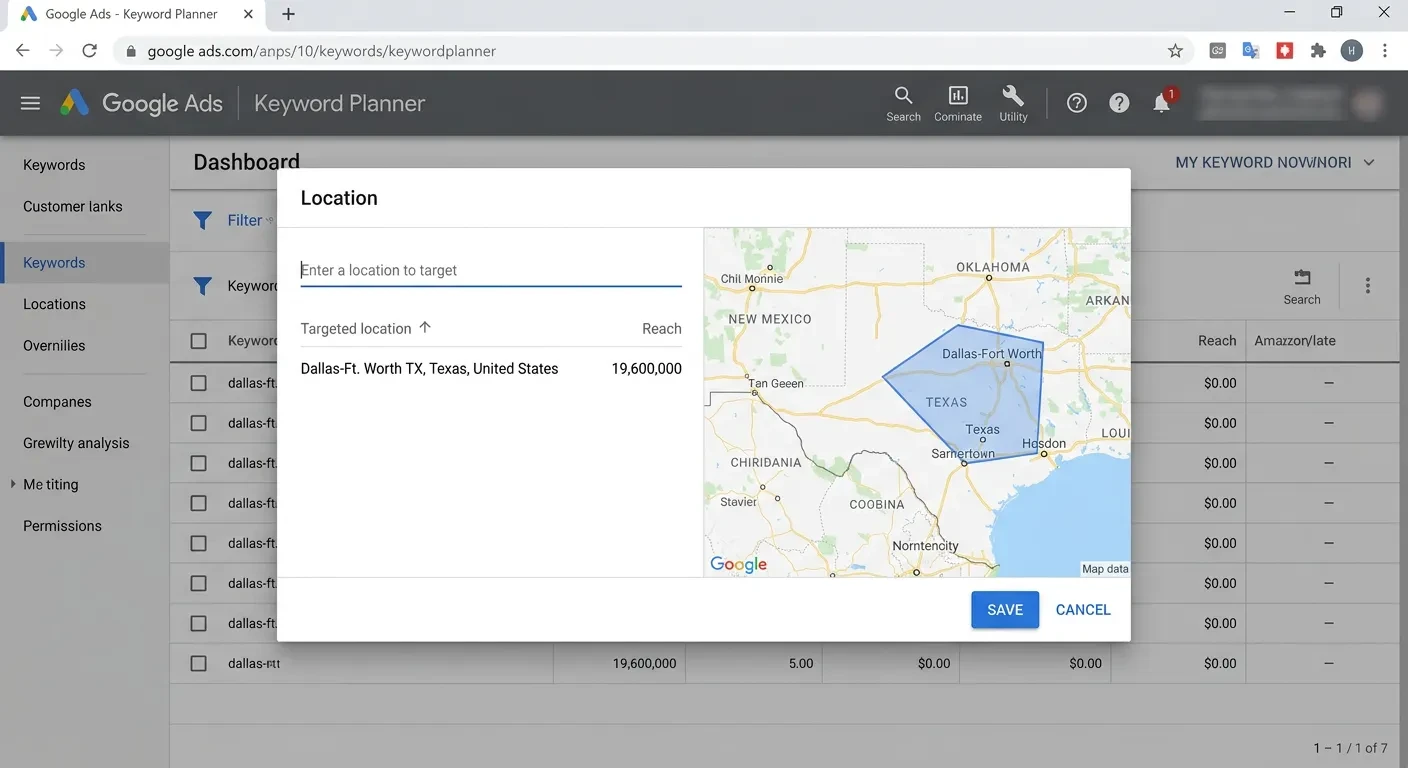
Now the free tools earn their place. Google Keyword Planner — free with a Google Ads account, no spend required — shows you roughly how often each phrase is searched each month. If your site is already live, Google Search Console shows you the queries you already appear for, which is the cheapest keyword research that exists.
Treat the numbers as rough comparisons, not gospel. Keyword Planner shows ranges, and a "30 searches a month" estimate can hide a keyword that brings you three jobs a year worth thousands each.
One more check: Google Trends tells you whether a search is seasonal or fading. A patio installer should know that "patio installation" peaks in spring before deciding when to publish.
Step 4 — Read the results page like a competitor
For each keyword on your shortlist, search it and study page one — because page one is the competition, visible to anyone for free. If the results are national brands, big retailers, and major publications, ranking will be a long fight. If you see forums, thin directory pages, or generic articles that don't quite answer the question, you've found an opening.
The results page also confirms intent better than any tool. If a keyword returns shopping results and service pages, Google has decided it's a buying search — don't aim a blog post at it. If it returns guides and explainers, write content; a sales page won't rank there.
This SERP test is the single judgment call that paid tools approximate with "difficulty scores". Your eyes do it better for a local market, because you know which competitors are actually good.
Pick Keywords by What They're Worth, Not How Often They're Searched
Here's the trap that catches almost every first-timer: chasing the biggest number. "Accountant" gets tens of thousands of searches a month. "Ecommerce accountant for Shopify sellers" might get thirty. The second keyword is worth more to the right firm, because every one of those thirty searchers is describing the exact client they want.
Run every candidate keyword through three filters. Is the person searching this actually my customer? Could I realistically rank, based on the page-one test from Step 4? And what is one customer from this search worth to me — because a keyword that brings two roofing jobs a year can out-earn one that brings a thousand visitors who never call.
Then make the cut brutal: start with about five keywords, not fifty. One for each page of your site that matters. You can expand the list once those five pages are written, ranking, and bringing enquiries — a shortlist you act on beats a spreadsheet you admire.
Give Every Keyword One Page — and Every Page One Job
A keyword list isn't a strategy until each keyword has a home. The mapping follows the buying line from earlier.
Buying searches — "emergency electrician Leeds", "wedding photographer prices" — belong on service pages built to convert. Comparing searches — "wordpress vs custom website" — belong on guide pages that earn the shortlist. Learning searches belong on articles that build trust long before the sale, like the one you're reading now.
Two rules keep this clean. Don't point your homepage at every keyword you have — it ends up ranking for none of them. And give each keyword one page only, so your own pages never compete against each other.
This mapping is also where Google's own advice points: its guidance on creating helpful content comes down to making each page satisfy the search it targets, completely. When we build sites at Vediwood, this mapping happens before design — every page in the sitemap exists because a real search justifies it, which is part of how we approach every web project.
"Do I Need Paid Tools?" — and Two Other Fair Objections
The cost objection
You don't need paid tools to do everything in this guide. Ahrefs and Semrush earn their fee when you're managing dozens of pages, watching competitors weekly, or running content as a channel — at that stage, they save real hours. For a five-keyword shortlist and a handful of pages, free covers you.
The time objection
Keyword research takes an afternoon. Results take months. For low-competition local keywords, three to six months from publishing a decent page is a realistic window — anyone promising page one in weeks is selling something. The work compounds, though: pages that rank keep bringing enquiries without an ad budget.
The AI search objection
More of your customers now ask ChatGPT, Perplexity, and Google's AI Overviews instead of scrolling results — so is keyword research dead? No. AI engines still need to know which questions people ask and which pages answer them best, so the research in this guide matters more, not less. What changes is how you structure the answers — we've covered that in our complete guide to Answer Engine Optimization.
If You'd Rather Build This In From Day One
You can do everything in this article yourself — that's why we wrote it. But if you're planning a new website and want the keyword mapping done before a single page is designed, that's how we work: research first, sitemap second, design third, so the site is built around real searches instead of guesses. Book a free call and we'll tell you honestly whether your current site needs a remap or a rebuild — no pitch, just an answer.
Follow Us
Most founders read us once and change something that week.
Every issue covers one thing that makes your website work harder — better conversion, stronger SEO, or smarter design. No fluff, no agency speak. Just the decision you need to make this week.
Our Team

Sadiki Said
Full Stack Developer

Nezha Essyed
Content Strategist