Schema Markup for Small Business Websites (2026)
Search engines and AI tools guess what your pages mean — and guessing costs you clicks. This guide explains schema markup in plain English and hands you the exact LocalBusiness, FAQ, and Product code to add to your small business website.

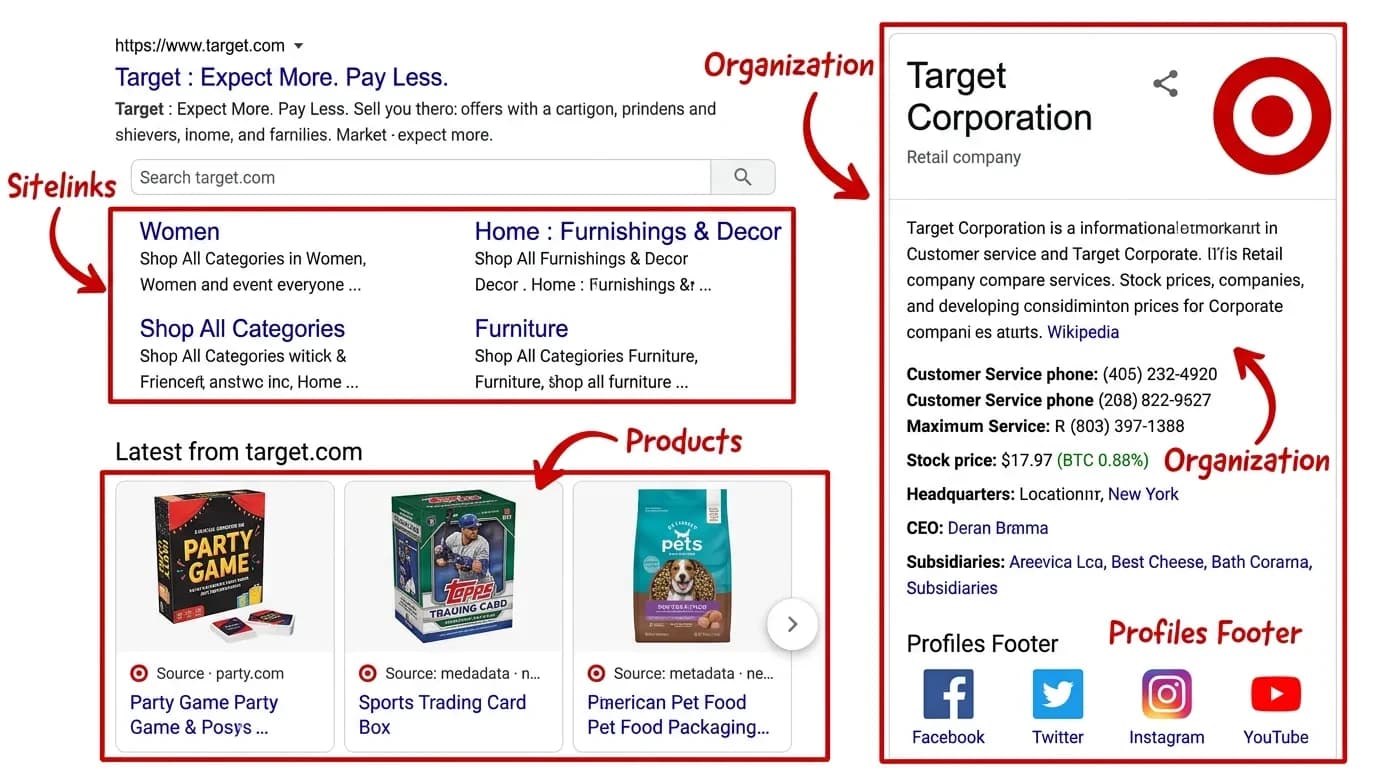
You keep getting told the same thing: add schema or AI won’t find you. Nobody explains what that actually means — or what you’re paying for when a developer says they “added schema to your site.” Here is the plain version. Schema markup for a small business website is a block of hidden code that tells search engines and AI tools exactly what your page means, not just what it says. Get it right and you become easier to show, quote, and trust. Get it wrong and you stay a guess.
What Schema Markup Actually Does for Your Website
Your website is written for people. Schema markup is written for machines.
When a customer lands on your services page, they see a price, a phone number, and a few reviews. They know instantly that “$2,500” is a price, that “(317) 555-0118” is a phone number, and that “4.9 stars” is a rating. They know because they’re human and they’ve read a thousand pages like it.
A search engine gets none of that for free. It reads raw text and has to guess that the number near the dollar sign is probably a price, and that the line under “Hours” is probably when you’re open. Most of the time it guesses right. Sometimes it doesn’t — and “most of the time” is a weak place to stand when you’re competing for the top of a results page.
Schema markup removes the guessing. It’s a small block of code, tucked in the background of the page, that says in a language the machine understands: this is a local business, here is its name, here is the address, here are the hours, this is the service and this is what it costs.
You don’t write any of this in English. It’s written in a standardized format that every major search engine agreed to read, using a shared vocabulary called Schema.org. Think of it as the label on the back of a product — the front is what people look at, and the label is what the machines scan to know exactly what’s inside.
Why Schema Markup Matters More in 2026
For years, schema was a nice-to-have. It earned you the richer-looking search results — star ratings, FAQ dropdowns, pricing in the listing — and you could put it off without much cost. That changed.
Google now answers a lot of questions directly at the top of the page with an AI Overview, before anyone clicks a link. At the same time, your customers started asking ChatGPT, Gemini, and Perplexity the questions they used to type into Google. None of these tools invent answers about your business out of thin air — they read the web and pull from pages they can clearly understand.
So the question quietly stopped being “will my page rank” and became “can a machine read my page clearly enough to quote it.” That’s the shift, and it’s why structured data moved from optional to expected.
An AI tool reads your website through a narrow straw, and it makes its call based on whatever it can clearly make out. Schema markup widens what it can see. When a search engine or an assistant can confirm you’re a real business, in a real place, offering real services, backed by real reviews, you become an easier source to trust and pull from.
Google’s February 2026 core update pushed this further by rewarding verified entities — pages that can prove what and who they are. Schema is essentially your business’s digital ID card. Without it, you’re asking the machine to take your word for it and hope it reads the page the way a human would.
Does Schema Markup Actually Improve Your Rankings?
This is the question we hear most, and the honest answer matters more than the impressive one. Schema markup is not a direct ranking factor. Adding it will not, by itself, move you from page three to page one.
What it does is change how you appear once you’re in the running. Schema is what makes your listing eligible for rich results — the stars, the FAQ accordions, the price and availability that take up more space and pull more eyes. A bigger, clearer listing earns more clicks even when your position doesn’t change.
That click-through lift is where the real value sits. Google’s own case studies make the point plainly: when Rotten Tomatoes added structured data to its pages, those pages earned a 25% higher click-through rate than pages without it. More clicks on a result Google already trusts is a signal that compounds over time.
Schema is a signal, not a shortcut. It helps a healthy page get understood and chosen — it does not rescue a thin one. If your page sits on page ten with weak content and no links pointing to it, the cleanest markup in the world won’t surface you, because nobody is pulling from page ten in the first place.
So treat schema as the last layer, not the foundation. Get the page genuinely useful first, then add schema so the machines can read that good work without guessing. Done in that order, every piece reinforces the next.
The Schema Types That Matter Most for a Small Business
There are hundreds of schema types in the official vocabulary, and you’ll never need most of them. For a small business, a handful do nearly all the work. Match the type to what’s actually on the page — that’s the whole game.
LocalBusiness Schema
This is your foundation. It tells search engines your business name, address, phone number, hours, price range, and service area, which is exactly the information that powers local results and Google Maps.
Use the most specific subtype that fits. If you’re a marketing agency or web studio, ProfessionalService is sharper than the generic LocalBusiness. If you run a restaurant, use Restaurant. The more specific you are, the more confidently search engines and AI tools categorize you. Google’s LocalBusiness documentation lists every supported property.
FAQPage Schema
FAQ schema marks up the questions and answers on a page so a machine knows which line is a question and which is its answer. This lines up neatly with how people ask AI tools for help — a clear question, a clear answer, no digging.
One rule is non-negotiable: every question and answer in the markup must be visible to visitors on the page. Schema that describes hidden content gets ignored at best and penalized at worst.
Product Schema
If you sell products, Product schema tags the price, availability, and reviews so those details can show up directly in results. For a service business it matters less, but for an online store it does real work — the star rating and price in a listing are among the most click-driving rich results available.
Article Schema
If you publish blog posts or guides, Article schema helps Google evaluate your content with the right context: the headline, the author, and the publish date. For a business building topical authority through a blog, it’s a quiet but worthwhile addition.
Review and AggregateRating Schema
This markup displays your star rating in search results — one of the most visible, trust-building rich results there is. Add it only when real reviews are visible on the page. Fabricated ratings are the fastest way to earn a manual penalty from Google, and there’s no upside worth that risk.
How to Add Schema Markup to Your Website (Copy-Paste Examples)
Schema is written in a format called JSON-LD — a block of code placed in the <head> of your page. Google recommends JSON-LD because it’s clean, easy to update, and never touches your visible content.
Start with LocalBusiness. Swap the placeholder values for your own and drop it into the page <head>:
<script type="application/ld+json">
{
  "@context": "https://schema.org",
  "@type": "ProfessionalService",
  "name": "Your Business Name",
  "url": "https://yoursite.com",
  "telephone": "+1-317-555-0118",
  "priceRange": "$$",
  "address": {
    "@type": "PostalAddress",
    "streetAddress": "123 Main St",
    "addressLocality": "Indianapolis",
    "addressRegion": "IN",
    "postalCode": "46204",
    "addressCountry": "US"
  },
  "openingHoursSpecification": {
    "@type": "OpeningHoursSpecification",
    "dayOfWeek": ["Monday","Tuesday","Wednesday","Thursday","Friday"],
    "opens": "09:00",
    "closes": "17:00"
  }
}
</script>
For a page with a real FAQ section, this marks up the first question and answer. Repeat the question block for each one — and only include questions that appear on the visible page:
<script type="application/ld+json">
{
  "@context": "https://schema.org",
  "@type": "FAQPage",
  "mainEntity": [{
    "@type": "Question",
    "name": "How much does a small business website cost?",
    "acceptedAnswer": {
      "@type": "Answer",
      "text": "Most small business sites range from $3,000 to $8,000 depending on scope."
    }
  }]
}
</script>
And for a single product, this tags the price, currency, and stock status so they can surface in results:
<script type="application/ld+json">
{
  "@context": "https://schema.org",
  "@type": "Product",
  "name": "Handmade Leather Wallet",
  "description": "Full-grain leather bifold wallet, hand-stitched.",
  "brand": { "@type": "Brand", "name": "Your Brand" },
  "offers": {
    "@type": "Offer",
    "price": "79.00",
    "priceCurrency": "USD",
    "availability": "https://schema.org/InStock"
  }
}
</script>
If your site runs on WordPress, you may not need to paste anything by hand. A configured SEO plugin generates LocalBusiness, Article, and basic Organization schema in the background. The copy-paste route is for the gaps plugins miss — FAQ tied to a specific page, Product details, or a custom service type — where you drop the JSON-LD straight into the page HTML or a code-snippets plugin.
How to Test Your Schema Before It Goes Live
Google’s Rich Results Test is the first stop. Paste your URL or your code, and it shows exactly what structured data Google detects and whether it qualifies for a rich result. If there’s an error, it names it.
Once your schema is live, Google Search Console tracks it over time. The Enhancements section flags issues across your whole site and shows how pages with markup are performing — useful for catching a plugin that quietly broke something on twenty pages at once.
For a deeper check, run your markup through the Schema.org validator. It tests against the full vocabulary rather than only what Google supports, which helps when your code passes the Rich Results Test but something still feels off.
One point that trips people up: passing validation does not guarantee a rich result will appear. Valid markup is a requirement, not a promise. Google still decides based on content quality, relevance, and site authority — and after adding schema, give it a few weeks to recrawl before drawing any conclusions.
The Schema Mistakes That Get Small Businesses Ignored
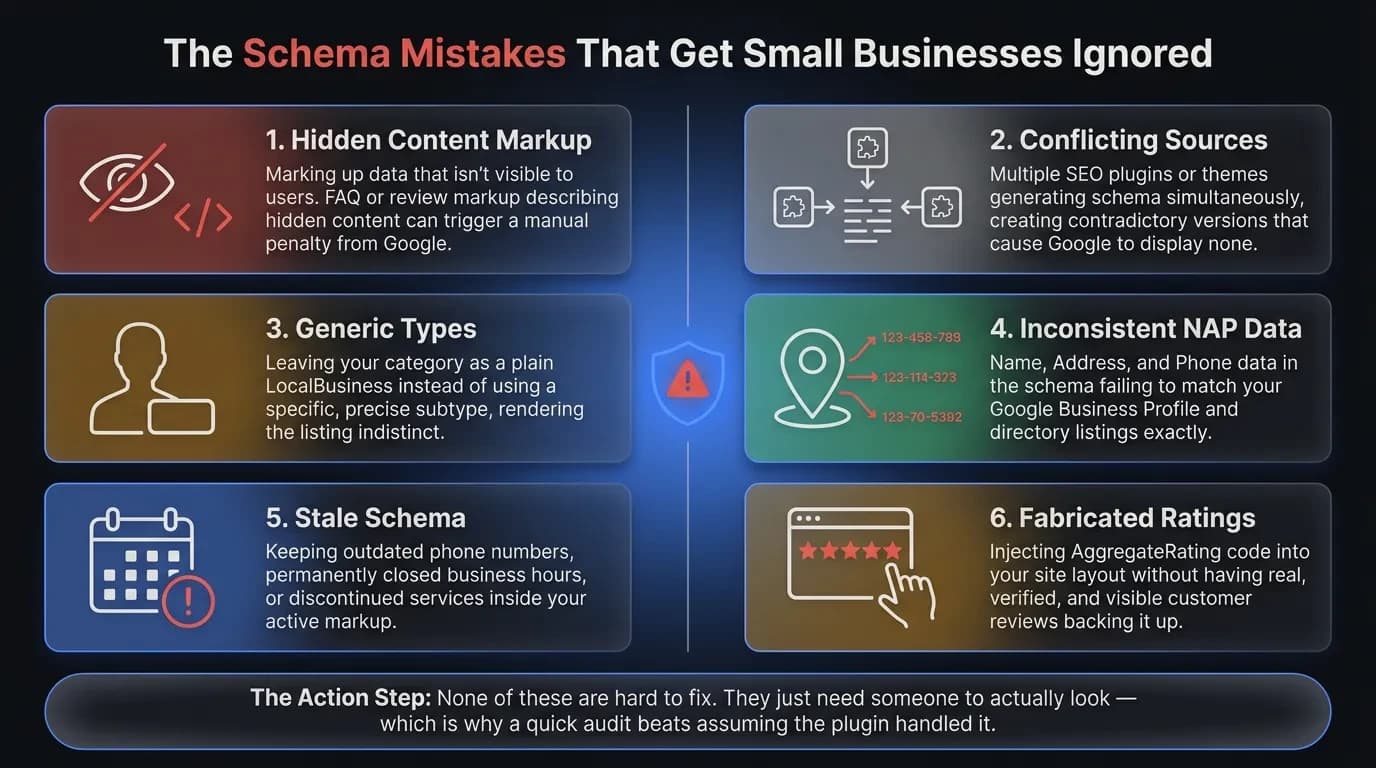
Most failed schema isn’t missing — it’s wrong in a way that quietly cancels its benefit. These are the mistakes we see most often when auditing small business sites.
The biggest one is marking up content that isn’t visible on the page. Google requires your schema to match what visitors actually see, and FAQ or review markup describing hidden content can trigger a manual penalty.
Conflicting sources are the next trap. If your theme, your SEO plugin, and a separate rich-snippets plugin are all generating schema at once, Google may see three contradictory versions and show none of them.
A few more that cost you results:
- Generic types. Leaving yourself as a plain LocalBusiness when a specific subtype fits is like wearing a blank name tag.
- Inconsistent NAP data. Your name, address, and phone in the schema must match your Google Business Profile and directory listings exactly.
- Stale schema. Old phone numbers, closed hours, or discontinued services in your markup actively work against you.
- Fabricated ratings. Never add AggregateRating schema without real, visible reviews behind it.
None of these are hard to fix. They just need someone to actually look — which is why a quick audit beats assuming the plugin handled it.
Should You DIY Schema, Use a Plugin, or Hire It Out?
The right call depends on your platform and how specific your markup needs to get. Here’s the honest framework.
If you’re on WordPress with a configured SEO plugin like Yoast, RankMath, or SEOPress, you probably already have more schema than you think. Check the Rich Results Test before assuming you have nothing — the basics are likely running in the background.
If your site has FAQ sections, product pages, or service pages with no structured data, that’s where doing it yourself pays off. The copy-paste blocks above cover the common cases, and adding them through a code-snippets plugin keeps things clean and reversible.
Hire it out when the schema gets specific or the stakes are high — a multi-location business, a medical or legal practice, an online store with hundreds of products, or any case where a mistake is hard to spot. The work should always be verifiable: a good implementer hands you a before-and-after from the Rich Results Test, not just an invoice.
And if a vendor pitches schema as the fix for slumping traffic, push back and ask what’s actually wrong first. Schema helps a healthy site get understood. It doesn’t make a struggling one rank on its own, and the honest version of that is worth knowing before you pay for it.
Make Your Site the One AI Quotes
Schema markup is the last layer on a site that already deserves to be found — the part that lets Google and AI tools read your good work without guessing. The businesses winning in 2026 search aren’t the ones with the most markup. They’re the ones whose pages are clear, useful, and labeled so a machine can quote them with confidence.
If you’d rather have your site built that way from the ground up — structured, fast, and readable by both people and machines — here is how Vediwood approaches a web project. We build the page worth ranking first, then add the schema that makes it impossible to misread.
Follow Us
Most founders read us once and change something that week.
Every issue covers one thing that makes your website work harder — better conversion, stronger SEO, or smarter design. No fluff, no agency speak. Just the decision you need to make this week.
Our Team

Sadiki Said
Full Stack Developer

Nezha Essyed
Content Strategist