Internal Linking Strategy for SEO: A Founder's Guide
Your website's pages are probably not connected the way Google needs them to be. This guide explains link equity, the pillar-cluster model, and a 30-minute audit you can run without paid tools.

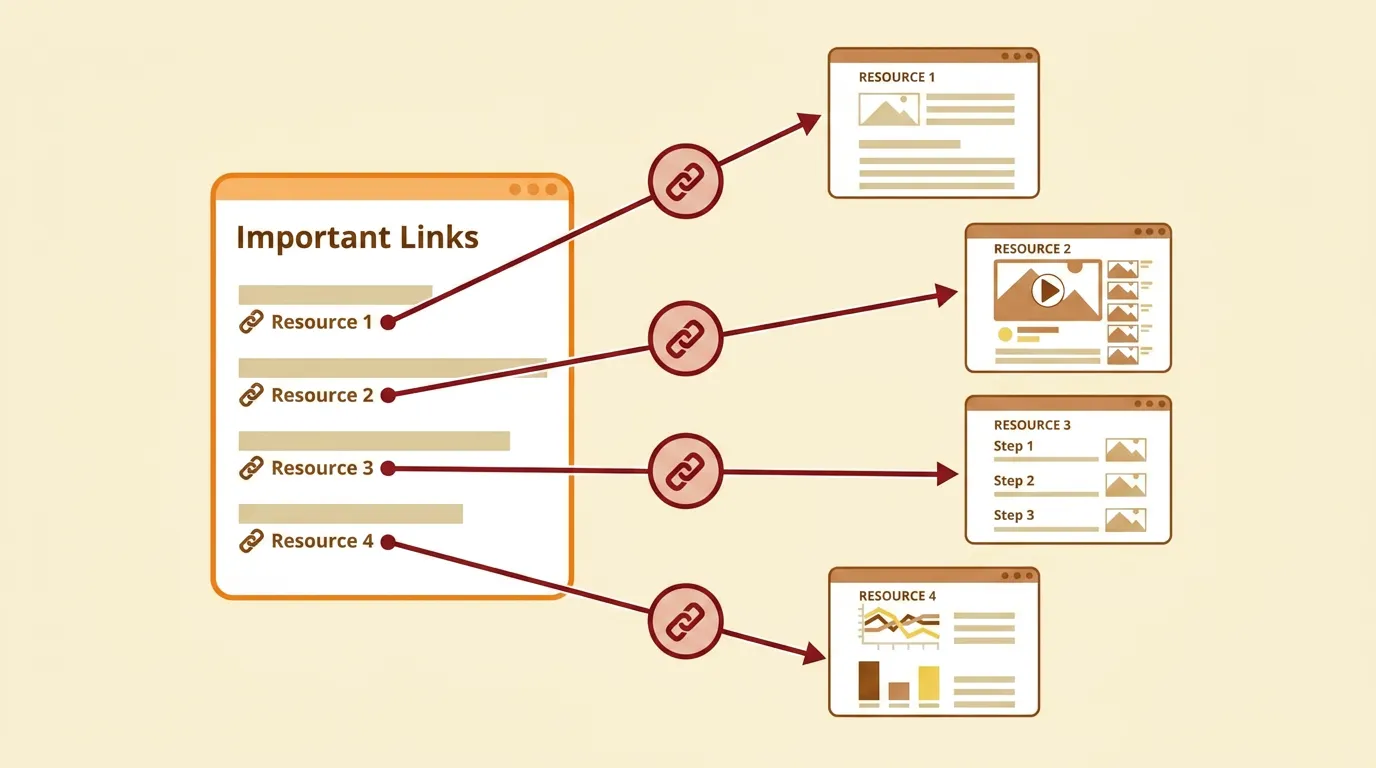
Your website probably has pages that Google has never found. Not because they are hidden — because nothing links to them.
Internal linking is the single most controllable ranking factor on your website. You do not need backlinks from other sites, a bigger budget, or an SEO tool subscription. You need your own pages to connect to each other in a way that tells Google what matters. A deliberate internal linking strategy for SEO does more for most business websites than any other optimisation — and the fix takes less time than most owners expect.
This guide explains how link equity works, how the pillar-cluster model organises your content for search engines, and how to audit your internal links in 30 minutes without paying for software.
Why Internal Linking Is the Most Underrated SEO Fix
Most business owners spend their SEO budget chasing backlinks from other websites. That is not wrong — backlinks matter. But the quickest ranking improvement usually comes from fixing what is already on your own site.
Google discovers new pages by following links. When Googlebot lands on one of your pages, it reads the content and follows every internal link to find the next page. If a page on your site has no internal links pointing to it, Google may never crawl it. That page sits in your CMS, costs you hosting, and earns exactly zero traffic.
Google's Search Advocate John Mueller has called internal linking "one of the biggest things that you can do on a website to guide Google and guide visitors to the pages that you think are important." That is Google telling you directly what to prioritise — not a suggestion from a random marketer.
The ranking effect is measurable. When you link from a high-authority page to a weaker page, you transfer ranking strength to it. When you connect related pages in a logical structure, you signal topical depth to Google's algorithms. Both of these factors influence where your pages appear in search results.
Internal links are the only ranking factor entirely within your control. Backlinks depend on other sites choosing to link to you. Technical SEO depends on your hosting platform. Content quality is partly subjective. But internal linking is a direct instruction from you to Google: this page is important, and here is how it connects to everything else on my site.
Internal linking also shapes how users behave on your site. A visitor who follows a relevant link from a blog post to a service page stays longer and explores deeper. Google tracks these engagement signals. A site where visitors read one page and leave looks less valuable than a site where visitors read three pages and take action.
The real problem is not difficulty — any CMS lets you create a hyperlink. The problem is that nobody explains what to link, where to link it, and why in language that does not assume you already understand concepts like PageRank or crawl budget. That is what this guide does.
How Link Equity Flows Through Your Website
Link equity is the SEO value that passes from one page to another through a hyperlink. Think of it as influence. A page with high influence shares some of that influence with every page it links to.
Your homepage is almost always your most powerful page. It accumulates the most backlinks from external websites — press mentions, directory listings, social profiles, partner sites. That concentration of external links makes it your strongest source of link equity. Every internal link from your homepage sends a portion of that equity to the destination page.
The flow is not equal. A page that receives links from three high-authority pages accumulates more equity than a page linked only from a single low-traffic blog post buried five clicks deep in your site architecture. The closer a page sits to your homepage in your link structure, the more equity it typically receives.
This matters because Google uses link equity as one of its core ranking signals. A service page with no internal links is nearly invisible to this system. The same service page linked from your homepage, your most popular blog post, and two related resource pages has four distinct signals telling Google it is important enough to rank.
Here is the practical rule: link from strong pages to the pages you most want to rank. That typically means linking from your homepage and your highest-traffic content to your service pages and key landing pages.
You do not need a paid tool to understand this flow. Open your website right now. Click from the homepage and count how many clicks it takes to reach your most important service page. If the answer is more than three, that page is not receiving enough link equity. It is buried too deep in your site's architecture.
Every page on your site that matters to your business should be reachable in two clicks from the homepage. Not through a dropdown menu — through a contextual link within your content. That is the difference between a site structure that actively supports your SEO and one that simply looks organised on the surface.
Contextual links carry more weight than navigational links for this purpose. A link placed inside a blog paragraph — where it naturally extends what the reader is learning — tells Google more about the relationship between two pages than a link in a menu that appears identically on every page of your site. Both types matter, but contextual links are where most small business sites have the biggest gap.
The Pillar-Cluster Model: How to Structure Your Internal Linking Strategy for SEO
A pillar page is a broad, comprehensive article that covers an entire topic at a high level. Cluster pages are shorter, focused articles that go deep on specific sub-topics within that same area.
Every cluster links back to the pillar. The pillar links forward to every cluster. This creates a web of interconnected content that tells Google your site covers the topic with genuine depth — which is precisely what Google rewards with higher rankings.
Here is a real-world example. If you run a physiotherapy clinic, your pillar page might cover "back pain treatment." Your cluster pages would cover sub-topics like "lower back pain exercises," "when to see a physiotherapist for back pain," "sciatica symptoms and treatment," and "workplace ergonomics for back health." Each cluster links back to the pillar with descriptive anchor text, and the pillar links outward to each cluster.
This structure works because it mirrors how Google evaluates topical authority. A site with one article about back pain competes against every other site with a single article on the same subject. A site with a pillar and five supporting clusters on the same topic signals an expertise and coverage depth that a lone article cannot match.
How to Choose Your Pillars
Start with the core problems your customers ask about. Each pillar should target a broad keyword that connects directly to a service you offer. Do not pick a pillar topic purely for search volume — pick it because it sits at the centre of what your business actually does.
A web design studio might choose "website redesign" as a pillar. An accounting firm might choose "small business tax planning." A recruitment agency might choose "hiring remote employees." The pillar maps to a real business need, not just a keyword opportunity.
How to Build Clusters Around Each Pillar
List every question a customer might ask about the pillar topic. Each question becomes a potential cluster article. "How much does a website redesign cost?" is a cluster. "Signs your website needs a redesign" is another. "How to brief a web design agency" is a third.
Link every cluster to the pillar using descriptive anchor text — not "click here," but a phrase that describes the pillar's content. "Our complete guide to website redesign" is useful anchor text because it tells both the reader and Google what to expect at the destination. "Learn more" tells neither.
The linking pattern between pillar and cluster pages should be bidirectional and consistent. Every cluster article should include at least one link back to the pillar using the pillar's target keyword or a close variation as anchor text. The pillar page should maintain an updated set of links to every cluster — either woven naturally into the body content or gathered in a dedicated section at the end.
Most small business websites already have content that could fit into this model. The articles exist. The deliberate links between them usually do not. Building those connections is where the ranking gains come from — and it costs nothing except your time.
How to Audit Your Internal Links in 30 Minutes
You do not need a paid SEO tool to find the problems in your internal linking structure. Google Search Console — which is free for any website owner — shows you exactly how your internal links are distributed across your site.
Step 1: Check Your Link Distribution
Open Google Search Console. Navigate to the Links section in the left sidebar, then click Internal Links. This report lists every page on your site ranked by how many internal links point to it.
Look for two problems. Pages at the bottom of the list with zero or one internal link are under-linked — Google barely knows they exist. Pages at the top with hundreds of links are typically your homepage, navigation pages, and footer items, which is expected and normal. The pages in between are where your attention should go.
Your service pages, key landing pages, and cornerstone content should each have at least three to five internal links pointing to them. If any of these pages fall below that threshold, you have found a gap worth fixing immediately.
Step 2: Find Orphan Pages
An orphan page has no internal links pointing to it at all. Google cannot crawl what it cannot reach through links. If a page exists in your CMS but does not appear in the internal links report, it is probably orphaned.
Cross-reference your sitemap with the internal links list. Any page that appears in your sitemap but is missing from the report needs at least one contextual link from a related page. Contextual means a link placed in the body of an article or service page — not just a footer entry or sidebar widget.
If you have ever written a blog post, hit publish, and never linked to it from any other page on your site, you have created an orphan page. The post may appear in your sitemap, but Google treats sitemap-only pages as lower priority than pages with strong internal link support.
Step 3: Fix Broken Internal Links
Click through the key pages on your site and follow every internal link. Any link that leads to a 404 error page is broken. That link passes zero equity and creates a dead end for both users and Google's crawlers.
Replace each broken link with a link to a live, relevant page. If the original destination page has moved to a new URL, update the link. If the page has been deleted entirely, either remove the link or point it to the closest relevant alternative on your site.
Step 4: Review Your Anchor Text
Scan the anchor text on your internal links. According to Google's documentation on link best practices, descriptive anchor text helps both users and search engines understand what the destination page is about.
If most of your anchor text says "click here," "read more," or "learn more," you are wasting the strongest on-page signal you can control. Replace those generic phrases with descriptive text that matches the topic of the linked page. Link to your pricing page with "web design pricing" — not "click here for details."
Step 5: Prioritise Fixes by Revenue Impact
Start with your money pages — the pages that directly generate enquiries, bookings, or sales. Ensure each one receives at least three to five internal links from relevant content pages. Then move to your pillar content and make sure every cluster page links back to it.
Most business websites need fewer than 20 link additions to see a measurable improvement in crawl coverage and rankings. The audit takes 30 minutes. The fixes take another hour at most. The ranking impact compounds over the following weeks as Google recrawls the updated pages.
5 Internal Linking Mistakes That Quietly Kill Rankings
1. Orphan Pages With No Inbound Links
Pages without a single internal link pointing to them are invisible to Google's crawlers. Every page that matters to your business needs at least one contextual link from the body of a related page. A sitemap entry alone is not enough — Google treats contextual body links as a much stronger signal of page importance than a sitemap listing.
2. Generic Anchor Text on Every Link
"Click here" and "read more" tell Google absolutely nothing about the destination page. Descriptive anchor text — like "checkout UX best practices" instead of "read more" — sends a clear topical signal and helps the linked page rank for the terms you actually want it to rank for. Anchor text is one of the few on-page SEO signals where you have complete control over the message. Use it deliberately.
3. Relying Solely on Navigation Links
Navigation and footer links appear on every page and help users find key sections of your site. But they carry less SEO weight than contextual links placed naturally within your content. A link inside a paragraph — where it genuinely adds value to what the reader is learning — sends a stronger relevance signal to Google than the same link sitting in a header menu. Aim for at least one in-content link per article pointing to your most important related pages.
4. Accidentally Nofollowing Internal Links
The nofollow attribute tells Google not to pass equity through a link. Some CMS plugins, security tools, or theme configurations accidentally apply nofollow to internal links without the site owner knowing. Inspect the HTML of your key internal links by right-clicking and selecting "Inspect" in your browser. Every internal link should use a standard dofollow tag unless you have a specific, deliberate reason to block the flow of equity.
5. Burying Important Pages Too Deep in Your Site
If a page takes more than three clicks to reach from your homepage, Google treats it as lower priority for crawling and indexing. Google's documentation on how search discovers pages confirms that pages closer to the homepage in a site's link structure are discovered and crawled more frequently. Move your highest-value pages closer to the surface by linking to them directly from your homepage or from your most-visited content pages.
How Many Internal Links Should a Page Have?
There is no fixed number. Google has not published a maximum, and the right count depends entirely on your page length and how many genuinely relevant pages you can link to.
The practical guideline is three to five contextual internal links per 1,000 words of content. Contextual means links placed within the body text where they add genuine value to the reader — not links stuffed into a sidebar, a footer, or a paragraph where they serve no purpose.
A 2,000-word guide might contain six to ten internal links. A 500-word service page might have two or three. What matters is relevance, not volume. Every link should answer a question the reader might have at that specific point in your content, or guide them to a logical next step that continues their journey through your site.
Over-linking dilutes the value of each individual link. When you place 50 links on a single page, each one passes a smaller fraction of that page's equity to its destination. More importantly, it creates a poor reading experience. If a paragraph contains more hyperlinked text than plain text, you have over-linked it — and the reader will trust none of those links.
New content is especially vulnerable to under-linking. When you publish a fresh article, it has zero internal links pointing to it by default. Go back to two or three older articles on related topics and add a link to the new piece. This single habit — linking to new content from existing pages immediately after publishing — is the highest-ROI internal linking practice you can build into your workflow.
The right question is not "how many links should I add?" It is "which pages genuinely deserve a link from this page?" Answer that honestly, and the number resolves itself.
What to Do Next With Your Site's Internal Links
You now understand how link equity flows through a website, how the pillar-cluster model organises content in a way that Google rewards, and how to audit your own internal links in 30 minutes using free tools.
The next step is to do it. Open Google Search Console today. Find your orphan pages, fix your broken links, and start connecting your content in a deliberate structure that tells Google exactly what your site is about and which pages deserve to rank.
If you want a site where this linking architecture is built into the foundation — where every page connects with purpose, where link equity flows to the pages that generate revenue, and where SEO is a structural decision rather than an afterthought — see how Vediwood approaches web projects.
Follow Us
Most founders read us once and change something that week.
Every issue covers one thing that makes your website work harder — better conversion, stronger SEO, or smarter design. No fluff, no agency speak. Just the decision you need to make this week.
Our Team

Sadiki Said
Full Stack Developer

Nezha Essyed
Content Strategist