Web Design Trends 2026: Which Ones Actually Matter
Most web design trend roundups are written for designers, not business owners. This guide filters every 2026 trend through one question — does it make your site faster, clearer, or more profitable?


Every January, the same articles appear. Fifteen trends. Eleven trends. Twenty trends for designers who want inspiration — not for business owners who need answers.
You searched "web design trends 2026" because you want to know if your website is falling behind and what to do about it. Most trend lists will not help you. They are written by tool companies promoting their own products, or by designers cataloguing aesthetics that look impressive in a portfolio and do nothing for your revenue.
This article is different. It filters every 2026 web design trend through one question: does it make your business website faster, clearer, or more profitable? If the answer is no, it did not make the list.
Why Most Trend Lists Are Written for Designers, Not Business Owners
The top-ranking articles for "web design trends 2026" cover movements like museumcore, retrofuture femme, and tactile maximalism. These are legitimate aesthetic directions. They are also completely irrelevant to whether a small business website generates enquiries, ranks on Google, or earns trust from a first-time visitor.
The gap in every major trend roundup is the same: nobody tells you which trends are worth spending money on. Elementor lists eleven trends — each one ending with a pitch for its own page builder. Wix lists eleven — all visual aesthetics with no business context. Even the most business-focused competitor on page one lists trends with "who it's for" tags but never discusses the cost or the return.
That filter is what every article on this topic is missing.
2026 is worth paying attention to for one reason. The shifts happening now are structural, not cosmetic. Artificial intelligence is changing how websites function — from static pages to adaptive systems that qualify leads and personalise content in real time. At the same time, users have developed a sharp eye for generic AI-generated imagery. Businesses that invest in human authenticity are standing out from the flood of AI-generated sameness.
These two forces — smarter systems and more human design — define the trends that actually affect your bottom line. Everything else is decoration.
A web design trend only earns a spot in this guide if it improves one of three things: how fast your site loads, how clearly it communicates your value, or how effectively it turns visitors into customers. That standard eliminated more than half of what the design community is excited about this year.
What follows is the business owner's filter. Seven trends that affect revenue. Four you can safely ignore. And a framework for deciding what to do first.
AI-Powered Personalisation Changes How Websites Convert
AI is the most discussed web design trend of 2026, and most of the conversation misses the point. The design community is focused on AI-generated images and AI-powered layout tools. For business owners, the real opportunity is different: AI that makes your website work harder after you build it.
The shift is from passive to active. In 2025, AI on websites meant a chatbot that answered frequently asked questions. In 2026, it means systems that qualify leads, book appointments, recommend products, and adapt page content — all without human intervention. UX researchers call this "agentic" design: websites that act on behalf of users rather than waiting for clicks.
What does this look like in practice? A service business replaces its generic contact form with an AI chat that asks three qualifying questions, identifies the visitor's budget and timeline, and routes serious enquiries directly to a calendar booking. An e-commerce store replaces a static homepage with dynamic product recommendations that change based on browsing behaviour, location, and time of day.
The numbers are hard to argue with. According to Figma's 2026 Web Design Statistics report, AI-driven website traffic converts at 14.2% compared to 2.8% from traditional search traffic (Figma, 2026). That is a five-to-one advantage that no visual redesign can match.
The practical barrier used to be cost. Enterprise personalisation tools started at five or six figures annually. That barrier is collapsing. Tools like Intercom, Drift, and WordPress plugins now make AI-powered chat and personalisation accessible to businesses spending hundreds per month, not thousands.
If you run a service business, start here: install an AI chat tool that qualifies leads and routes them to your calendar. This single change can outperform an entire visual redesign in terms of conversion impact. If you sell products, look at recommendation engines that personalise based on browsing history — Shopify, WooCommerce, and most modern e-commerce platforms now offer this natively or through affordable plugins.
Not every business needs AI personalisation immediately. If your website gets fewer than a thousand visitors per month, the impact will be marginal. The technology works best at scale — the more data it processes, the smarter its recommendations become. For smaller businesses, the immediate opportunity is simpler: replace your static contact form with an AI assistant that asks the right questions and routes leads intelligently.
The key distinction for 2026 is this: AI is no longer just a design tool that helps you build a website faster. It is a business tool that helps your website sell after it is built. The former saves you time. The latter makes you money.
One common mistake: deploying an AI chatbot without giving it clear instructions about your business. A poorly configured AI chat is worse than no chat at all — it gives wrong answers, frustrates visitors, and damages trust. The upfront investment is not in the tool itself but in training it with your actual service details, pricing boundaries, and qualifying questions.
Web Design Trends 2026 Start with Performance
This is the least glamorous trend in this guide and the most important. If your website takes more than three seconds to load on mobile, nothing else on this list matters.
Google's Core Web Vitals — the three metrics that directly influence your search rankings — became the baseline for competitive SEO in 2025. In 2026, they are table stakes. The three metrics are Largest Contentful Paint (LCP), which measures how fast your main content appears; Interaction to Next Paint (INP), which measures how quickly the page responds when you click or tap; and Cumulative Layout Shift (CLS), which measures how much the page jumps around while loading. Google publishes detailed guidance on all three at developers.google.com.
Google's own research found that every 100 milliseconds of added load time can reduce conversions by 1% (Google, 2024). On an e-commerce site doing £500,000 in annual revenue, a half-second delay could cost £25,000 per year. That is not a design problem. It is a revenue problem.
As of 2026, between 58% and 60% of global web traffic comes from mobile devices. Google evaluates your site based on its mobile version when determining search rankings — not the desktop version. If your mobile experience is slow, cluttered, or broken, your rankings suffer regardless of how polished the desktop looks.
The practical fixes are not expensive:
- Compress and convert all images to WebP or AVIF format
- Remove unused plugins, scripts, and JavaScript that loads on every page
- Choose hosting with a content delivery network and edge caching
- Eliminate layout-shifting elements like ads and embeds that load after the main page
- Defer loading of below-the-fold images and non-critical resources
Run your site through Google PageSpeed Insights today. If your mobile score is below 70, fixing that will do more for your rankings and conversions than any visual update. Start here before considering any other trend on this list.
The uncomfortable truth about performance is that it often requires saying no to other trends. Heavy 3D animations, parallax scrolling effects, and auto-playing video backgrounds all look impressive in a designer's portfolio. They also add page weight. Every design decision that slows your site down is a decision to rank lower and convert less.
Performance-first design does not mean boring design. It means choosing effects that earn their weight. A 50-kilobyte micro-interaction that confirms a button click is worth the load. A 3-megabyte 3D hero animation that nobody asked for is not.
The most effective visual techniques in 2026 — bold typography, high-contrast colour schemes, clean layouts — are also the lightest. They require almost no additional page weight. The trends that hurt performance most are the ones that look best in a portfolio review and worst in a PageSpeed audit.
Accessibility Is No Longer Optional — And That Benefits Everyone
Accessibility was treated as a compliance checkbox for years. Fix it before launch, hope nobody notices, move on. In 2026, that approach creates legal risk and leaves money on the table.
The European Accessibility Act took effect in June 2025, requiring digital products and services to meet accessibility standards across the EU. In the United States, ADA lawsuits targeting websites continue to rise — over 4,000 were filed in 2025 alone (UsableNet, 2025). The legal argument for accessibility is settled. The business argument is just as strong.
Roughly one in four Americans has a disability that affects how they use the internet (CDC, 2024). That is not a niche audience. It is a quarter of your potential customers. Designing for accessibility does not mean building a separate experience for disabled users. It means building a better experience for everyone.
Higher colour contrast ratios make text easier to read in bright sunlight. Clear heading structures help screen readers and improve your SEO simultaneously. Keyboard-navigable menus work better on mobile devices. Form labels that remain visible reduce errors for all users, not just those using assistive technology.
The Web Content Accessibility Guidelines (WCAG 2.1 AA) are the baseline standard in 2026. The most impactful fixes are also the simplest:
- Ensure a minimum 4.5:1 colour contrast ratio for all body text
- Add descriptive alt text to every image — not "image1.jpg" but "team reviewing wireframes on a whiteboard"
- Make all menus and interactive elements navigable with a keyboard alone
- Keep form field labels visible at all times — do not rely on placeholder text that disappears on focus
- Add ARIA labels to buttons and interactive elements that lack visible text
These changes take days to implement, not weeks. They cost almost nothing compared to a visual redesign. And they improve your search visibility, reduce legal exposure, and make your site usable by a larger audience — all at once.
If you only act on one thing from this article that is not performance-related, make it accessibility. The return is disproportionate to the effort.
Bold Typography and Real Photography Beat AI-Generated Visuals
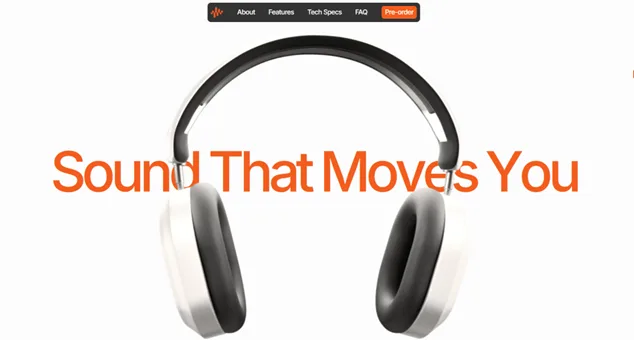
Something interesting is happening in web design in 2026. As AI-generated imagery floods the internet — the slightly too-perfect stock photos, the suspiciously smooth gradients, the generic illustration style — users are getting good at spotting it. And they are reacting with distrust.
According to UX Collective's 2026 design trends report, 94% of designers and marketers now carefully review and refine AI-generated outputs specifically to restore human quality (UX Collective, 2026). The market is self-correcting: the more AI-generated content exists online, the more valuable human-crafted visuals become.
For business websites, this shows up in two areas: typography and photography.
Typography is having a breakthrough moment. Variable fonts — single font files that contain an entire range of weights and widths — have made expressive typography lightweight and practical. Google Fonts added hundreds of variable font options in the past two years. You can now use a bold, distinctive headline font without the page-weight penalty that used to come with loading multiple font files.
The simplest typography upgrade: increase your headline size, add more weight contrast between headings and body text, and invest in one distinctive display font that carries your brand personality. These changes cost almost nothing and dramatically change how your site reads at first glance.
Photography is the other lever. If your website currently uses stock photos of people in blazers shaking hands in a glass conference room, your credibility is lower than you think. The most trusted business websites in 2026 use real photography — of the actual team, the actual workspace, the actual work being done. Custom photography does not require a professional shoot. A smartphone, good natural lighting, and honest composition beat studio-polished stock every time.
The minimum visual upgrade for any business website in 2026:
- Replace your hero image with a real photo of your team or your work
- Choose one display font for headlines that is not Inter, Roboto, or Helvetica
- Remove any AI-generated illustrations that look generic or uncanny
- Use real screenshots, not mockups, when showing your product or process
These changes signal something AI cannot replicate: this is a real business, run by real people, who actually do this work. In a market flooded with AI-generated sameness, authenticity is a competitive advantage that costs less than a redesign and delivers more than a new colour palette.
This does not mean avoiding AI in your workflow. Use AI tools for ideation, layout drafts, and first-pass copywriting. Then bring human judgement to the final output. The businesses winning in 2026 use both: AI for speed and iteration, human craft for quality and soul.
Micro-Interactions That Reduce Friction, Not Add Decoration
A button that responds when you hover over it. A form field that confirms your input is valid before you submit. A section that fades in as you scroll to it. These small interactions — called micro-interactions — are the unsung workhorses of effective web design in 2026.
Research consistently shows that purposeful micro-animations increase user engagement by approximately 20% and reduce the friction that causes visitors to abandon actions midway through (NNGroup, 2025). The key word is purposeful. A decorative animation that exists only to impress slows your page and distracts from the content.
The distinction matters. There are two types of animation on the web in 2026.
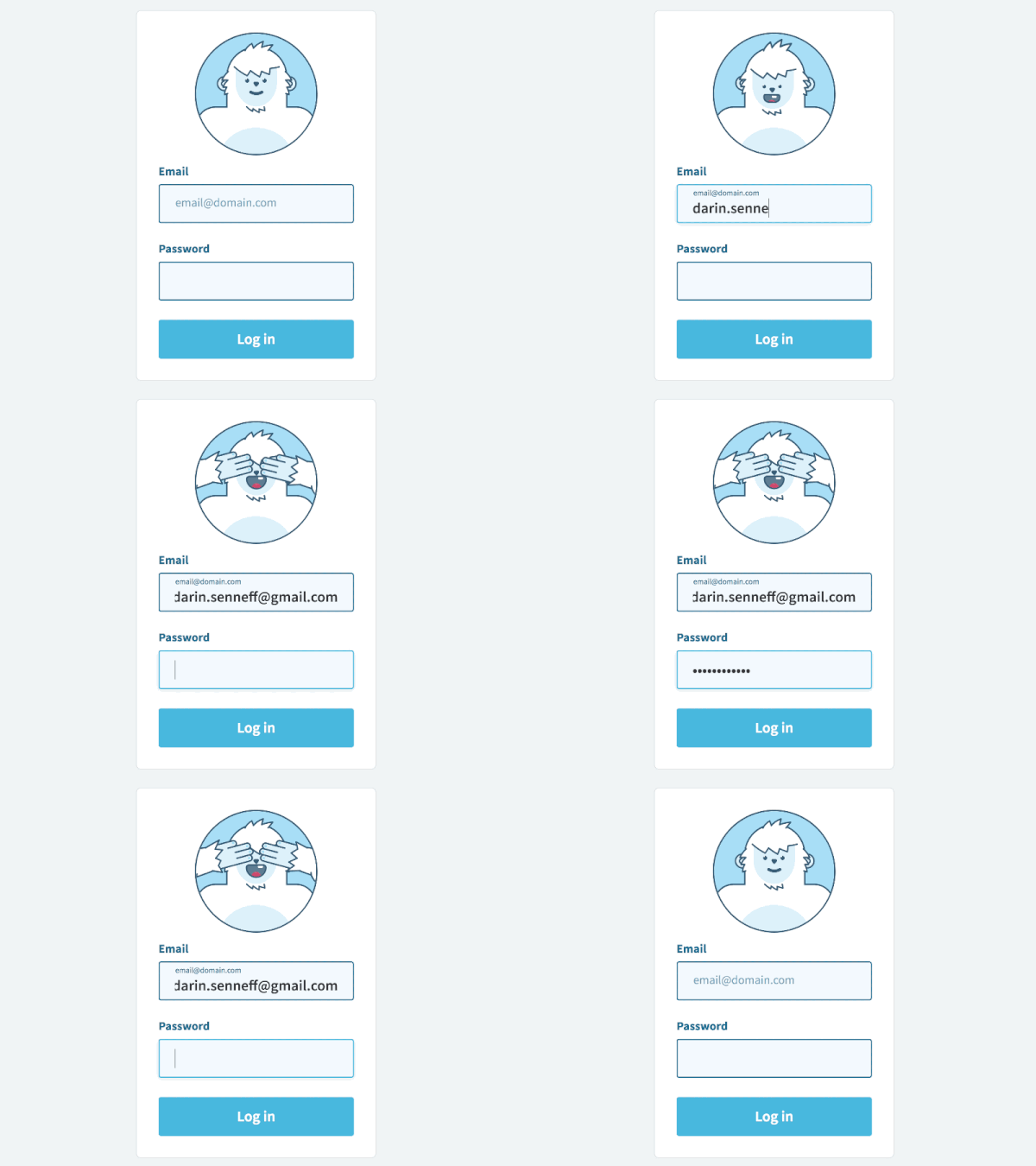
Functional animation guides users through your site. A hover state tells the visitor "this is clickable." A loading indicator says "your action is being processed." A scroll-triggered reveal draws attention to the next section naturally. These reduce cognitive load. They make your site feel responsive and alive without calling attention to themselves.
Decorative animation exists to impress other designers. Parallax backgrounds, floating elements, auto-playing video headers, and complex page transitions look stunning in a portfolio. They also add page weight, slow load times, and often distract visitors from the action you want them to take.
The best micro-interactions in 2026 are invisible to the user. They feel natural — like the interface is responding to what you want to do, rather than performing for you.
Start with three additions that require minimal code and add negligible page weight:
- Hover states on all buttons and links — a colour shift or subtle scale change that confirms interactivity
- Form validation feedback — a green checkmark or red alert as users fill out each field, before they hit submit
- Section entrance animations — a simple fade or slide-up as content enters the viewport during scroll
The tools for building these have matured considerably. CSS scroll-timeline and modern animation libraries like GSAP make smooth, performance-friendly interactions achievable without heavy JavaScript overhead. If your developer says micro-interactions will hurt performance, they are either using outdated tools or adding the wrong kind of animation.
These are the design equivalent of a clean shopfront: visitors may not consciously notice, but they trust the experience more because of them.
Dark Mode: When It Makes Sense for Business
Dark mode is not new, but the way businesses think about it in 2026 is more nuanced. It is no longer a binary on-off switch. It is a brand decision.
OLED screens, now dominant in smartphones and laptops, save battery by turning off pixels that display true black. Users with OLED devices who enable dark mode see real performance benefits. The majority of those users now expect websites to respect their system preference.
At minimum, any website built or rebuilt in 2026 should honour the user's system dark mode setting. This is a CSS-level implementation that takes a developer less than a day. Not doing it signals that your site was built without current standards in mind.
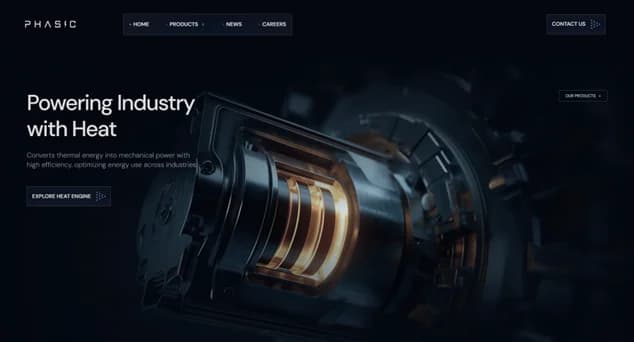
Beyond that minimum, whether to design a full dark-mode experience depends on your brand and your audience.
Dark mode works well for:
- Technology companies and SaaS products — it signals modernity and technical sophistication
- Design agencies and creative studios — it creates visual drama and makes portfolio imagery pop
- Media and entertainment brands — it reduces eye strain for content-heavy browsing sessions
Dark mode creates problems for:
- Healthcare and wellness brands — warmth and approachability are the primary emotional needs
- Childcare and education services — friendliness matters more than sophistication
- Any brand where extended reading is the main interaction — dark backgrounds make body text harder to read over long sessions
The common mistake is treating dark mode as a visual trend rather than a UX decision. Poor contrast ratios, unreadable text on dark backgrounds, and images that look muddy against dark surfaces are all frequent problems in rushed implementations.
If you are unsure, start with the minimum: honour system preferences and let the user's device decide. Make sure your colour choices stay legible and balanced in both modes. Test thoroughly. A dark mode done badly is worse than no dark mode at all.
The 2026 Web Design Trends You Can Safely Ignore
Not every trend deserves your attention or your budget. Several of the most discussed web design trends of 2026 are design movements that belong in agency portfolios and creative experiments — not on business websites that need to convert visitors into customers.
Museumcore borrows from Renaissance and Baroque aesthetics — ornamental frames, jewel tones, decorative serif fonts. It is visually striking and almost never appropriate for a business website. Unless you are selling luxury perfume or fine art, this trend will confuse your audience more than it impresses them.
Retrofuture femme combines Kawaii aesthetics with Y2K nostalgia — glitter effects, pastel palettes, hearts and bows. It is gaining traction among brands targeting Gen Z women in fashion and beauty. If that is not your exact audience, this trend has zero relevance to your business.
Elevated brutalism uses harsh, asymmetrical layouts with clashing textures and oversized fonts to make a visual statement. It can work for art portfolios and creative studios. For a business that depends on clear navigation and obvious calls to action, brutalist design actively fights against your conversion goals.
3D elements and spatial design are technically impressive and becoming more accessible through WebGL and Three.js. But they remain expensive to implement well, add significant page weight, and have a narrow use case. If you sell physical products that benefit from being rotated and examined — furniture, architecture, consumer electronics — 3D can add genuine value. For service businesses, consultancies, and most B2B companies, the cost does not justify the return.
Nostalgia-driven aesthetics — '80s excess, dial-up design, retro revival — are fun cultural moments. They are not conversion strategies. A website that looks like a 1998 GeoCities page might generate social media buzz. It will not generate leads.
The rule is simple: if a design trend does not serve a specific task your visitor is trying to complete, it is decoration. Decoration is fine on a portfolio. It is expensive on a business website — expensive in development time, expensive in page weight, and expensive in the visitors who leave because they cannot figure out what to do next.
This does not mean your website should look bland. The trends that actually matter — bold typography, real photography, clean performance-driven layouts — produce websites that look modern, confident, and distinctive. You do not need a design gimmick to stand out. You need a clear message delivered with craft and speed.
How to Prioritise: A Framework for Business Owners
You now have seven trends that matter and five categories you can ignore. The question is: where do you start? Not every business needs all seven. The right starting point depends on what your website currently looks like and what problem you are trying to solve.
Priority 1 — Performance and mobile (non-negotiable). Every business website in 2026 must load fast on mobile. This is not a trend — it is infrastructure. If your Google PageSpeed Insights score is below 70 on mobile, start here. Nothing else you do will compensate for a slow website. Fix image compression, remove unnecessary plugins, and ensure your hosting includes a CDN. This work typically costs less than any design change and delivers the most measurable improvement in both rankings and conversions.
Priority 2 — Accessibility (legal protection plus SEO benefit). Accessibility improvements are cheap, fast, and simultaneously improve your search rankings. Fixing colour contrast, adding alt text, and ensuring keyboard navigation takes days, not weeks. The legal exposure of ignoring accessibility is growing every year. The business upside is immediate. Do this in parallel with performance work.
Priority 3 — AI personalisation (highest conversion leverage). If your site generates meaningful traffic — more than a thousand visitors per month — AI-powered lead qualification or product personalisation will move your conversion rate more than any visual change. Start with AI chat for service businesses or dynamic product recommendations for e-commerce.
Priority 4 — Visual identity (typography plus photography). Once your site is fast, accessible, and conversion-optimised, invest in visual distinctiveness. A custom display font, real team photography, and intentional micro-interactions separate you from the template-based competition. These changes are the most visible to visitors but only effective when the foundation is solid.
Before adding any trend to your project scope, ask three questions:
- Does it serve my audience? A 3D product viewer adds value for a furniture brand. It adds nothing to a consulting firm's website.
- Does it support my conversion goal? Every element on the page either moves the visitor toward action or distracts them from it. There is no neutral.
- Can I execute it well? A poorly implemented scroll animation or half-finished dark mode is worse than not attempting either. Better to do fewer things exceptionally than more things adequately.
The best business websites of 2026 do not have all seven trends. They have three or four, chosen deliberately and executed with craft.
What to Do If Your Website Needs to Catch Up
If your business website was built before 2024, the gap between what you have and what 2026 expects is probably wider than you think. Performance standards have risen. Accessibility has become a legal issue. AI-powered competitors are converting at rates that static sites cannot match.
The answer is not necessarily a full redesign. For many businesses, targeted improvements — a performance audit, accessibility fixes, and an AI chat integration — deliver more impact in less time and at lower cost than starting from scratch.
The answer is also not chasing every trend on a listicle. It is knowing which changes will actually move your revenue, and doing those well.
If you are evaluating whether your current website is keeping up — or planning a rebuild and want it designed around the standards that will matter for the next three years — Vediwood builds business websites on exactly these principles. Performance, accessibility, and conversion designed in from the ground up. No templates. No trend-chasing. The decisions that move the numbers, built by someone who has made them on real projects.
Follow Us
Most founders read us once and change something that week.
Every issue covers one thing that makes your website work harder — better conversion, stronger SEO, or smarter design. No fluff, no agency speak. Just the decision you need to make this week.
Our Team

Sadiki Said
Full Stack Developer

Nezha Essyed
Content Strategist